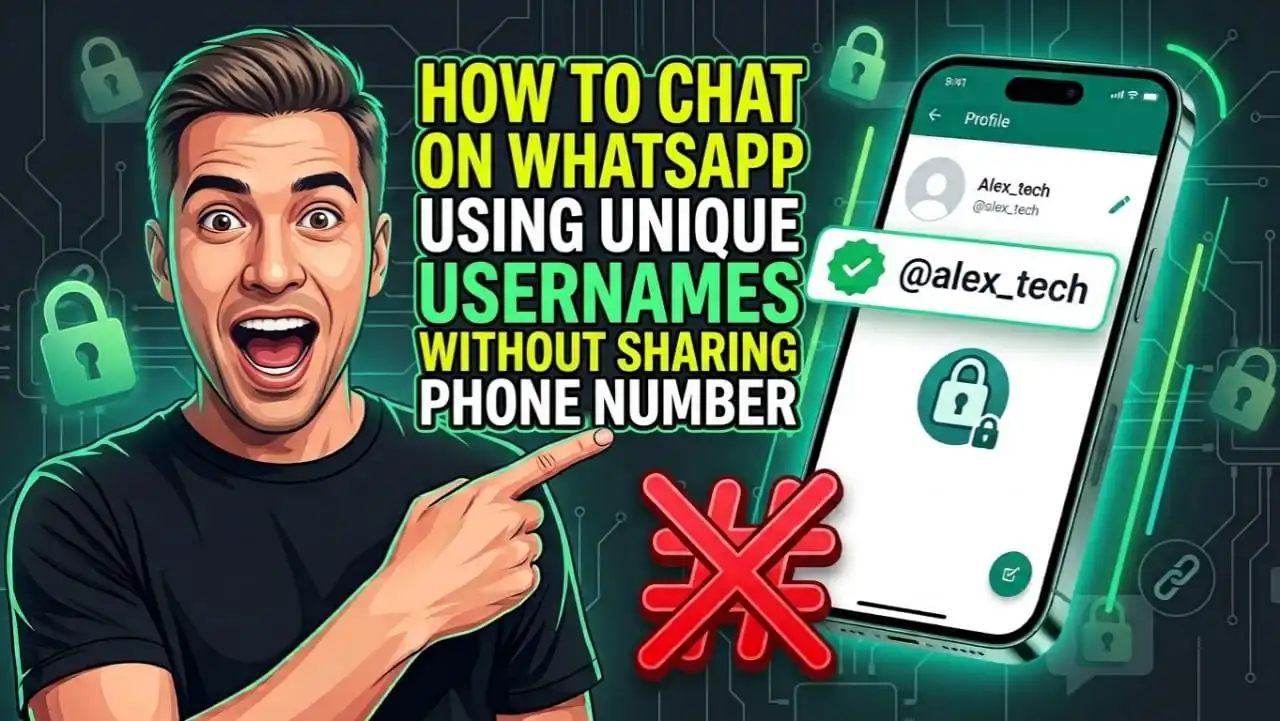
Sharing your personal phone number with strangers just to send a quick text message feels risky and outdated. Every time you join a neighbourhood group, order from a local merchant, buy something on an online marketplace, or connect with a new acquaintance, your private mobile number gets exposed to people you barely know.
WhatsApp is solving this privacy headache once and for all by introducing the long awaited WhatsApp username feature.
This major security upgrade lets you connect, send messages, and start calls using a unique handle like @yourname without giving out your actual phone number.
In this comprehensive guide, you will learn how to chat on WhatsApp using unique usernames without sharing phone number, explore temporary privacy workarounds available today, understand character rules, and learn how to secure your handle early.
How to Chat on WhatsApp Using Unique Usernames Without Sharing Phone Number?
The shift toward unique handles on WhatsApp completely redesigns how identity works on the world’s most popular messaging platform.
Since its launch, WhatsApp bound every account directly to a SIM card number. If someone wanted to text you, they needed your phone number saved in their phonebook. With the new handle architecture developed by Meta, your public identity is completely separated from your private phone line.
Old WhatsApp Flow vs. New Username Flow
| Feature / Aspect | Old WhatsApp Flow | New Username Flow |
| Main Account Identifier | Mobile Phone Number | Unique Username Handle (e.g., @alex_tech) |
| Contact Discovery | Saved Address Book Contacts | Global Username Search Bar & Custom Links |
| Phone Number Privacy | Exposed to All Chat Members | Hidden Behind Custom Handle |
| Group Privacy | Number Visible to All Members | Only Username Shown to Non-Contacts |
| Business Contact | Exposes Personal Contact Info | Safe Handles for Support & Queries |
| Extra Spam Protection | None (Anyone with number can text) | Optional Username Key / Security PIN |
| Messaging Security | End-to-End Encrypted | End-to-End Encrypted |
How the Handle System Protects Your Identity Across Different Chats
- The new username system builds a protective shield around your private details across every type of conversation:
- Individual Chats: When you message someone for the first time using their handle, your phone number remains completely hidden on your profile card. You can communicate freely without worrying that the other person will save your phone number, share it, or add it to unwanted call lists.
- Group Chats: Public and private group chats are common places where phone numbers leak to strangers. Under the new system, when you post in a group, members who do not have your number saved in their contacts will only see your unique handle instead of your phone number.
Business Interactions: Contacting local services, online stores, or customer service accounts often leads to endless marketing texts. Chatting via username prevents vendors from capturing your personal mobile number for marketing databases.
Most importantly, switching to usernames does not weaken WhatsApp’s security. Every text, voice note, photo, and call made using a handle retains full end-to-end encryption. Neither WhatsApp nor Meta can read your messages or listen to your calls.
Interim Privacy Hacks Available Right Now
Because the username feature is rolling out in stages across beta builds and regional servers, you might not see the handle toggle in your app today. Here are exact interim workarounds you can use right now to chat on WhatsApp without phone number exposure:
1. Hide Phone Number Info in Privacy Settings: Open WhatsApp and tap Settings > Privacy > About. Set this to Nobody or My Contacts. While your number is still visible when you text someone directly, this stops random people from viewing your profile details via your number.
2. Use a Secondary WhatsApp Business Account: Download WhatsApp Business alongside your standard WhatsApp app. You can register the business app using a landline or virtual number. This keeps your main personal number completely private for personal family use.
3. Set Up a Secondary Virtual or VoIP Line: You can register a dual-SIM or secondary virtual line dedicated solely to temporary sign-ups, public group chats, or online marketplace listings.
4. Utilize Privacy Settings for Group Additions: Head to Settings > Privacy > Groups and select My Contacts Except… or My Contacts. This stops random people from adding your phone number to public group chats without your permission.
If you want to maintain complete privacy on your chats, you can also learn How to read deleted WhatsApp messages without any app to stay ahead of deleted content.
When Will WhatsApp Username Be Available?
Many users wonder when they will finally get to reserve and use their handle. According to development updates tracked by WABetaInfo, WhatsApp’s username setup has moved from quiet background code into active global deployment.
- Here is the exact breakdown of the availability timeline across platforms and testing channels:
- Beta Testing Phase: Meta began early user testing across Android (from build v2.23.11.15 onwards on Google Play Beta) and iOS (TestFlight). Initial builds introduced profile settings screens where testers previewed handle registration and handle-based contact search engines.
- Reservation Phase and Country Waves: Meta opened username reservations starting in late June 2026, allowing users to claim handles before full feature activation. Full number hiding functionality launched in initial country waves (Wave 1 in early July 2026, followed by Wave 2 in late July 2026).
- Expected Public Rollout Target: Global deployment broadens progressively across major markets including the United States, India, Europe, and Latin America through Q3 and Q4 2026. Users across Android, iOS, WhatsApp Web, and Desktop clients receive access as regional server-side switches switch on.
Why Is It Taking Time? Setting up unique usernames for over two billion active accounts is a massive technical challenge. Meta built global real time reservation systems to guarantee that two people cannot register the same handle simultaneously. Furthermore, Meta integrated anti-impersonation checks and cross-platform verification with Meta Accounts Center so bad actors cannot claim official handles belonging to established brands or public figures.
WhatsApp Username Rules
Meta has designed strict technical, safety, and privacy rules to keep handles clean, prevent abuse, and stop impersonation scams.
Technical and Formatting Rules:
- Uniqueness Requirement: Every handle must be 100% unique across the global network. Once an account claims @john_doe, no one else can register that exact string.
- Permitted Characters: Usernames can contain lowercase letters (a-z), numbers (0-9), periods (.), and underscores (_). Uppercase letters are automatically converted or blocked.
- Character Limits: Handles must be at least 3 characters long and cannot exceed 35 characters.
- Letter Mandate: To prevent handles from looking like random phone numbers or IP addresses, every handle must include at least one letter. Handles consisting entirely of digits or symbols are rejected.
- No Special Domain Patterns: Usernames cannot start with www. or end with domain extensions such as .com, .net, or .org. This rule prevents phishers from creating fake web links.
Cross Meta Claim Rule: To register a username on WhatsApp, your chosen handle must also be unclaimed on Facebook and Instagram, or linked to your verified account via Meta Accounts Center.
Spam and Impersonation Rules:
- Username Key / Security PIN: To prevent automated bots from spamming users via handle searches, WhatsApp introduced an extra security layer called a Username Key. This acts as an optional 4-digit code that someone reaching out to you via handle for the first time must enter before initiating a chat.
- Meta Accounts Center Sync: Meta allows you to link your handle directly with your Instagram or Facebook handle through Meta Accounts Center to prevent identity theft.
Reporting and Account Revocation: Pretending to be an official company, celebrity, or another person violates community guidelines. Meta provides a one tap reporting tool inside chats. Accounts caught impersonating others lose their handle permanently.
WhatsApp Username How to Set?
When the feature is activated on your phone, setting up your personal handle takes less than two minutes.
Step-by-Step Guide for Android Users:
1. Open WhatsApp on your Android device.
2. Tap the three vertical dots in the top-right corner and choose Settings.
3. Tap your Profile Photo / Name at the top of the screen.
4. Look for the Username row located directly below your About section.
5. Tap the pencil icon next to Username.
6. Type your desired handle. WhatsApp will run an instant check to confirm if the handle is available.
7. Tap Save to lock in your handle.
Step-by-Step Guide for iOS (iPhone) Users:
1. Open WhatsApp on your iPhone.
2. Tap the Settings icon on the bottom navigation bar.
3. Tap your Profile Banner at the top.
4. Select the Username option.
5. Enter your preferred username (e.g., @alex_creative).
6. Wait for the green checkmark showing availability.
7. Tap Done in the upper right corner to save your new handle.
How to Edit or Remove Your Username:
- Changing Your Handle: You can change your handle anytime by returning to Settings > Profile > Username and typing a new handle.
- Deletion: If you remove your username completely, your account defaults back to standard phone number discovery mode.
- Cooling-Off Period: After changing or deleting a handle, your old username may enter a temporary reservation lock before becoming available for other users to claim.
WhatsApp Username How To Find?
Finding friends, colleagues, or businesses using their handle is fast and simple. You no longer need to save phone contacts just to send a quick text message.
Step-by-Step Guide to Locate Someone by Username:
1. Open WhatsApp on your phone.
2. Tap the New Chat button (the green bubble on Android or the edit icon on iOS).
3. Tap the Search Bar at the top of the screen.
4. Type the person’s unique handle starting with the @ symbol (for example, @sarah_writer).
5. Matching profiles will appear under global search results.
6. Tap the profile card to open a secure, end-to-end encrypted chat window instantly.
How Custom Short Links and QR Codes Work:
To make sharing handles effortless, WhatsApp automatically generates web links and scannable codes tied to your handle:
- Custom Web Link (wa.me): WhatsApp generates a unique short link formatted as wa.me/u/yourusername. You can copy this link and paste it into your social media bios, email signatures, or business cards. Anyone who clicks the link gets redirected to a private chat window with you without ever seeing your phone number.
- Username QR Code: Your profile page displays a custom QR code embedded with your handle. People can scan this code using their phone camera or WhatsApp scanner to start chatting with you on the spot.
WhatsApp Username Not Showing
If you navigate to your profile settings and do not see the Username field, do not worry. Your app is likely waiting for its server account batch to activate.
Here is a practical troubleshooting checklist to
fix the WhatsApp username feature not showing issue:
- Update WhatsApp to the Latest Build: Open the Google Play Store or Apple App Store, search for WhatsApp, and tap Update. Outdated app builds cannot process username server commands.
2. Join the Official WhatsApp Beta Program:
Android: Visit the WhatsApp page on the Google Play Store, scroll down to Join the Beta, and tap Join.
iOS: Download the Apple TestFlight app and check for open WhatsApp Beta slots. Beta users get server features earlier than standard users.
3. Clear Application Cache (Android): Go to Settings > Apps > WhatsApp > Storage on your phone and tap Clear Cache. Re-open WhatsApp to force the app to pull new server configurations.
4. Force Stop and Restart the App: Close WhatsApp from your recent apps screen, toggle Airplane Mode on for 5 seconds, turn it off, and relaunch WhatsApp to reset connection parameters.
5. Reinstall WhatsApp (Backup First!): Back up your chat history to Google Drive or iCloud via Settings > Chats > Chat Backup. Uninstall WhatsApp, download it fresh from your app store, and restore your chats.
6. Check Operating System Compatibility: Ensure your smartphone runs a supported operating system (Android 6.0+ or iOS 15.5+).
7. Wait for Your Account Wave: If you have followed all steps and the option remains missing, your account is queued for an upcoming server update. Meta activates accounts in rolling waves until full global coverage is achieved.
WhatsApp Username Ideas
Choosing the right handle keeps your digital footprint clean, recognizable, and professional. Here is a categorized list of creative handle ideas to inspire you:
Personal & Minimalist
- @alex.notes
- @iam_david
- @clara.logs
- @hello.mark
- @just_sophia
Professional / Work
- @consult.sarah
- @dev_robert
- @designs_by_lisa
- @writer_james
- @accountant_mike
Gamer & Tech Enthusiast
- @pixel_runner
- @cyber_samurai
- @code_vault
- @byte_craft
- @shadow_node
Creative / Aesthetic
- @lunar.vibes
- @velvet_mind
- @urban_crafts
- @paper_echoes
- @cosmic_drift
Security Tips for Choosing Your Handle:
- Avoid Sensitive Details: Never put your full legal name, birth year, home address, or
government ID numbers into a public handle.
- Keep It Short and Readable: Shorter handles are easier to share in person and reduce typos.
Align Across Platforms: If you run a business or personal brand, choose a handle that matches your handles on Instagram, X, or LinkedIn for seamless branding.
Final Conclusion
The option to chat on WhatsApp using unique usernames without sharing phone number represents a huge step forward for digital privacy. By breaking the requirement to reveal your private SIM number to every casual contact, Meta gives you total control over who gets access to your private phone line.
Make sure to keep your app updated through your official app store and check your profile settings regularly so you can grab your favorite handle as soon as access goes live on your account!
Was this guide helpful? If yes do share it with your friends as well as join our WhatsApp Channel so you get notified as soon as new article is published Whatsapp Channel: https://whatsapp.com/channel/0029VaQZeq5KwqSJlU8N1u2U