The Maharaja Ganga Singh University (MGSU), Bikaner, has officially released the Admit Cards for the June 2026 Theory Examinations. All undergraduate (UG) and postgraduate (PG) students can download their respective admit cards.
Having a physical copy of your admit card is compulsory for entry to the examination centre.
In this blog, you will see a step-by-step guide on how to download the admit card for the Maharaja Ganga Singh University (MGSU), Bikaner June 2026 theory exams.
MGSU Bikaner June 2026 Examination Overview
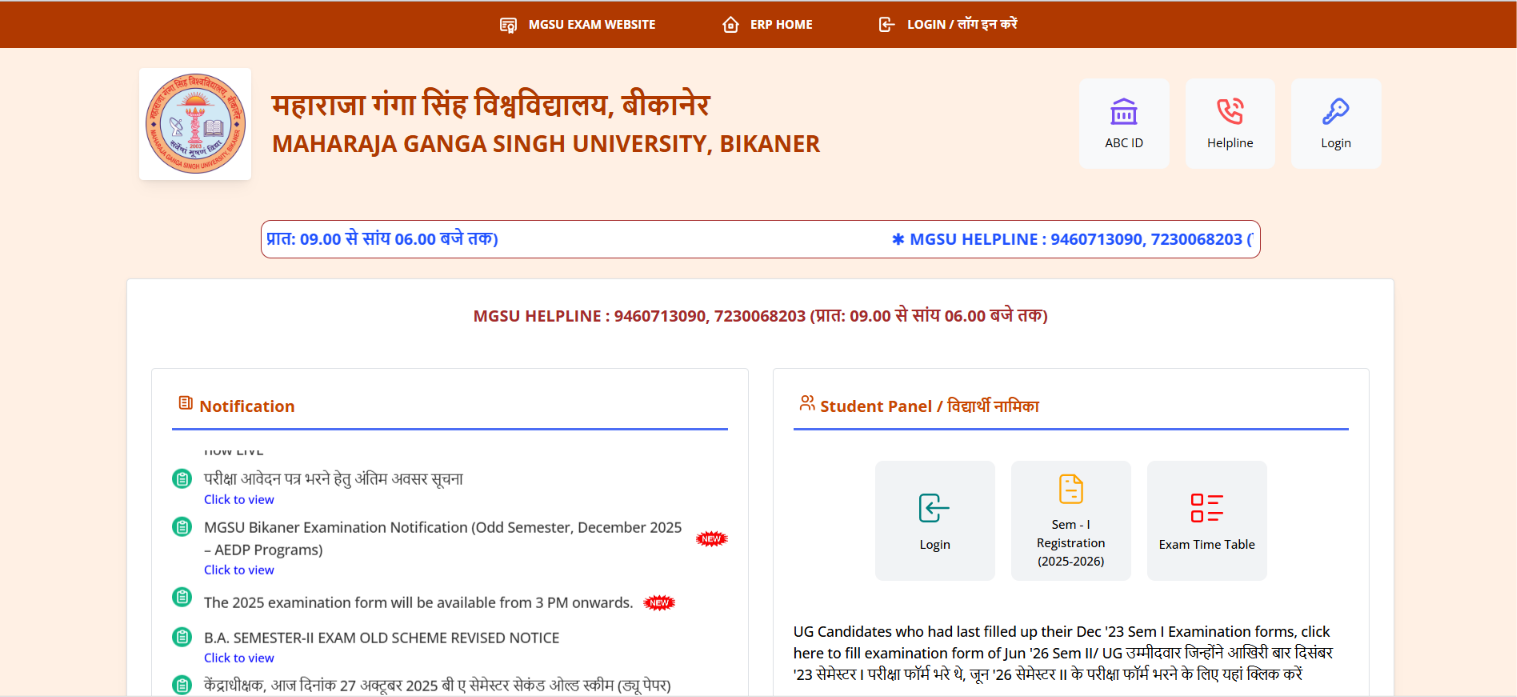
MGSU has set up a dedicated ERP portal for students, where they can access final exam forms, practical details, admit cards, results, re-evaluation, and re-totalling services.
How to Download MGSU June Exam 2026 Admit Card (Step-by-Step Guide)
Follow these easy steps:
Step 1: Open the MGSU Official Main Page
First, open your web browser and go to the official MGSU main portal:
https://www.univindia.net/MGSU/mainpage.php
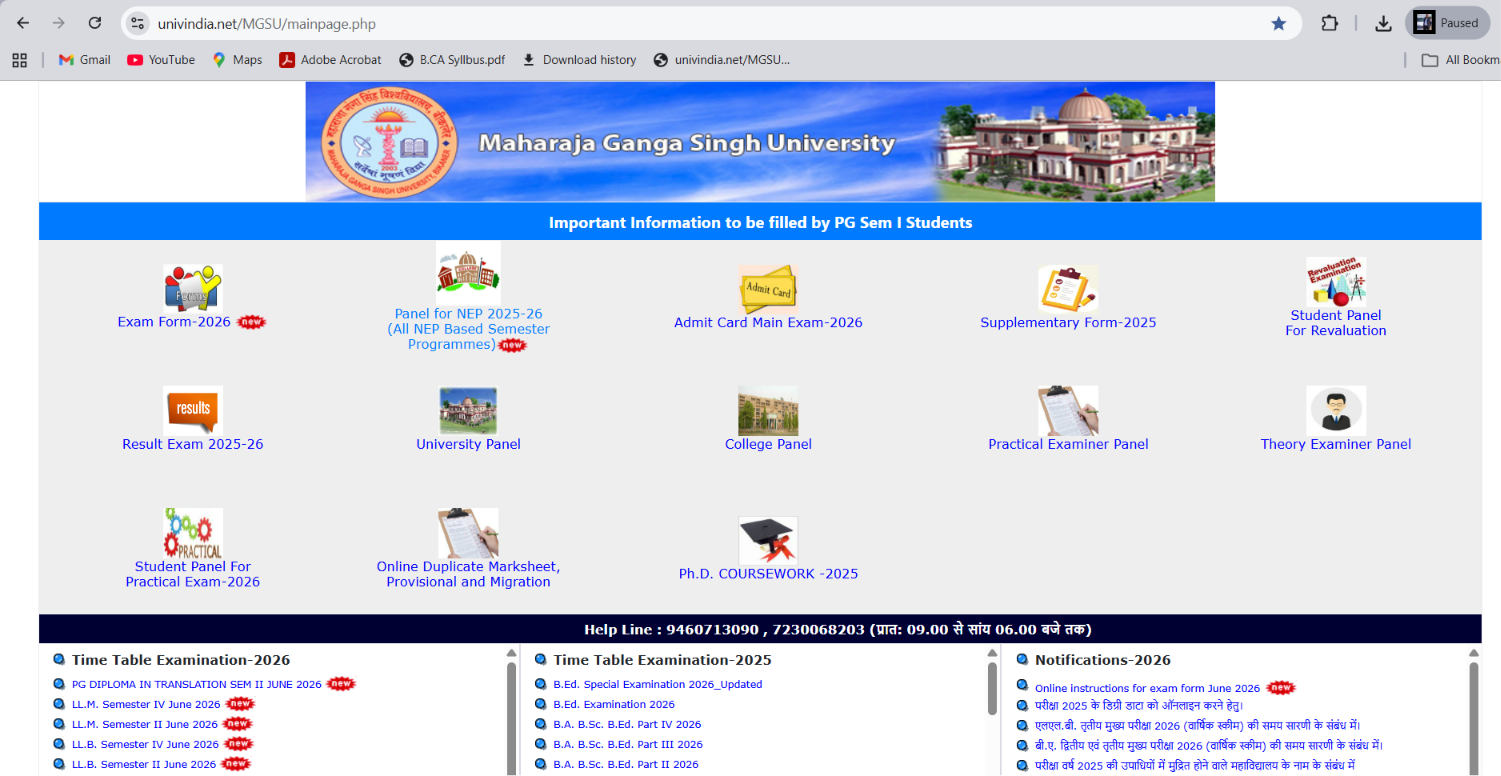
Step 2: Click on the NEP Panel
On the homepage, look for and click on the button named:
“Panel for NEP 2025-26 (All NEP Based Semester Programmes)”
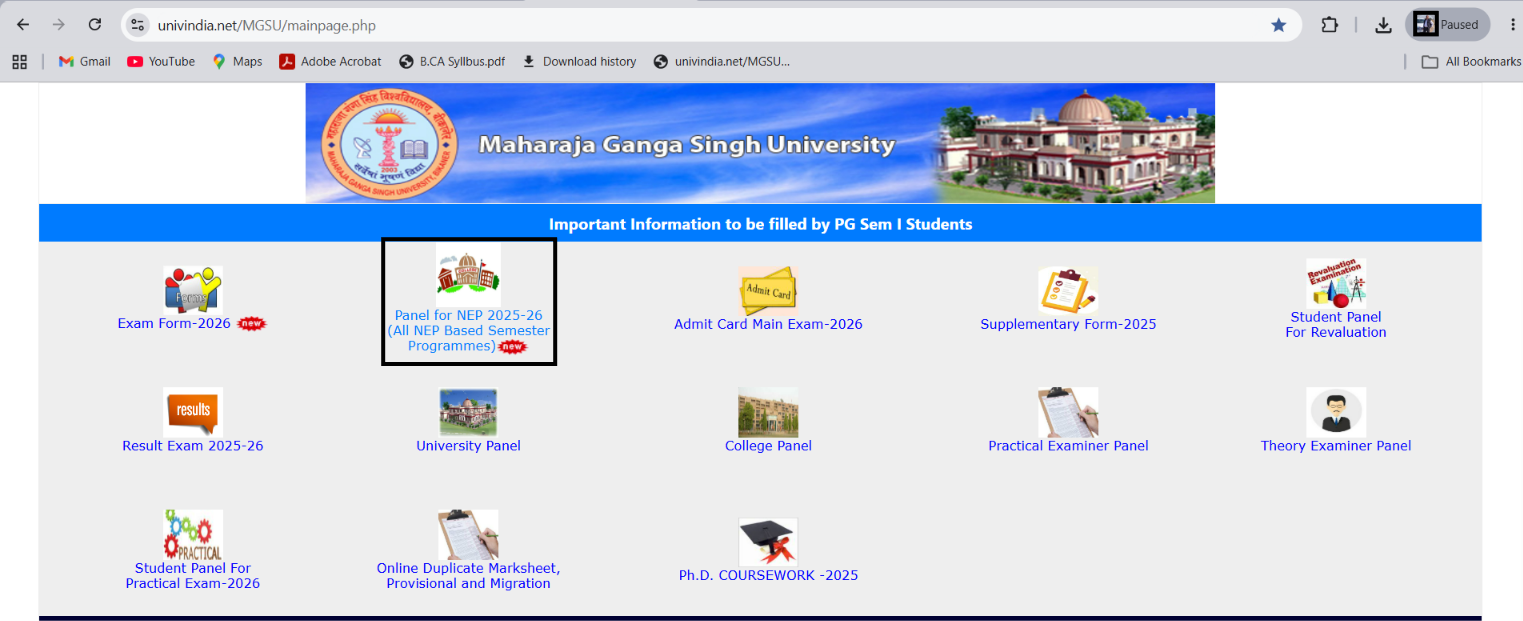
This will automatically open the Student ERP Portal at: https://erp.univindia.net/
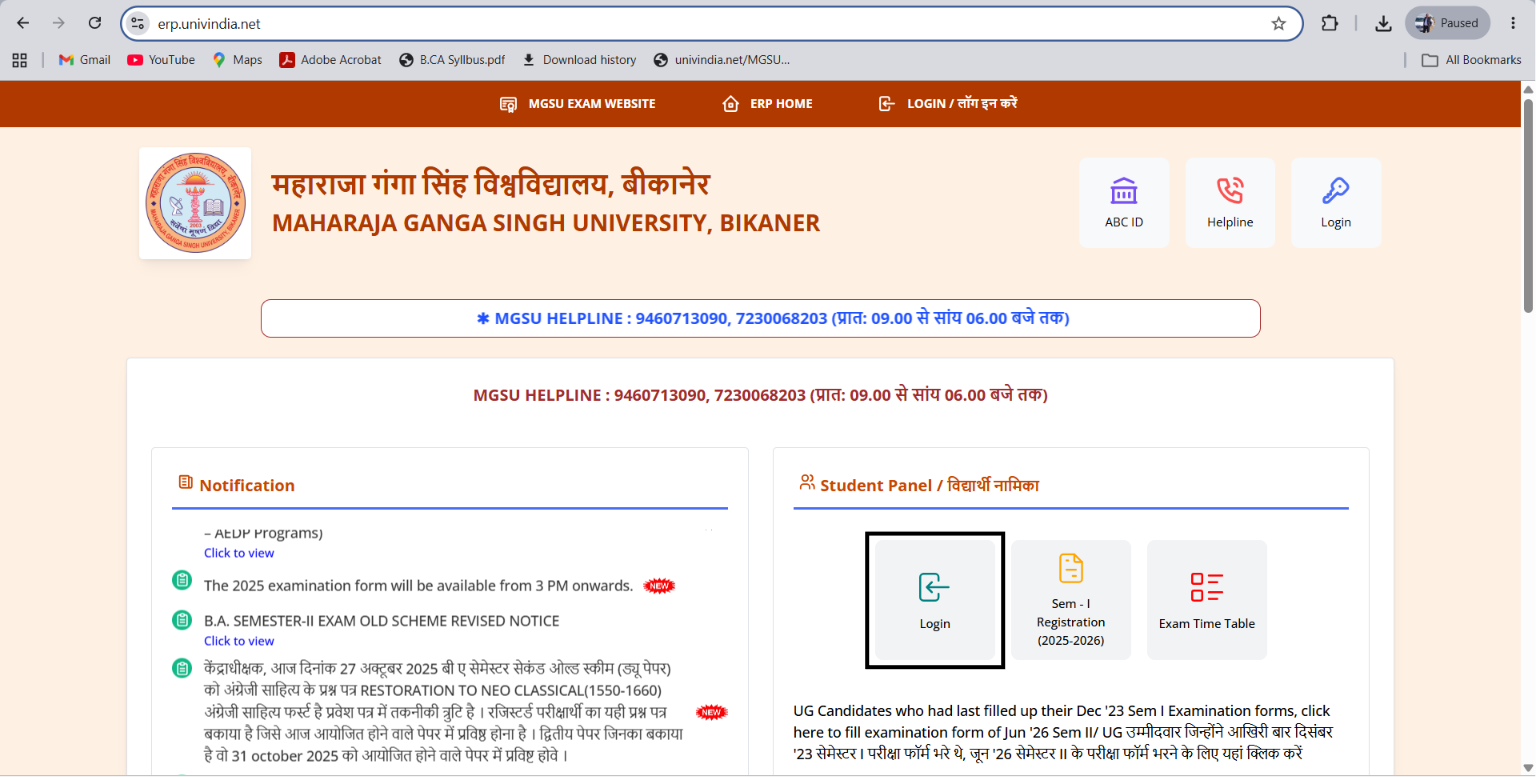
Step 3: Go to the Student Panel
On the ERP portal screen, locate the section titled “Student Panel / विद्यार्थी नामिका” and click on the Login button.
Step 4: Enter Login Details
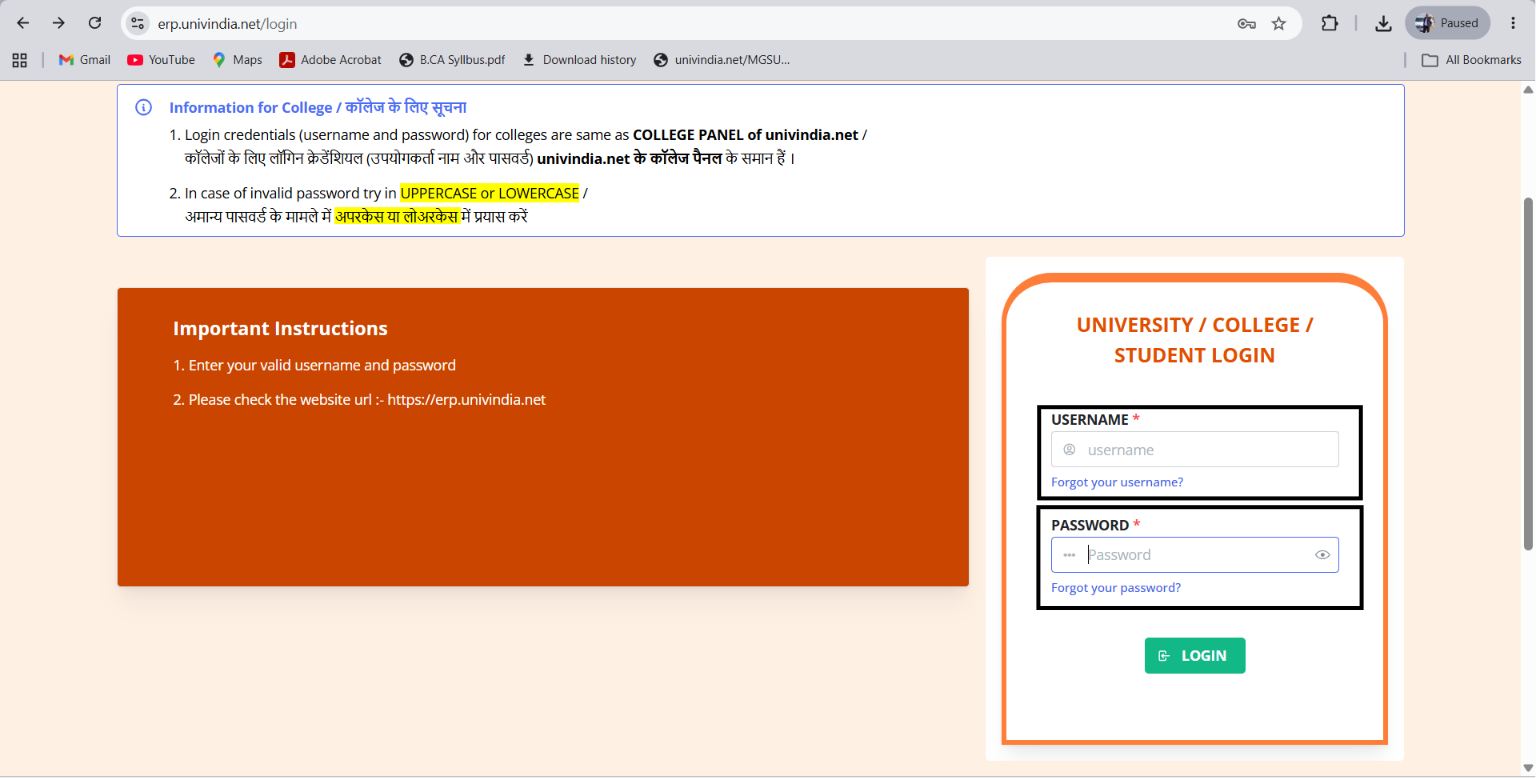
A side box titled “UNIVERSITY / COLLEGE / STUDENT LOGIN” will open. Fill in your credentials:
USERNAME *
PASSWORD *
(Make sure both details are correct, then click on the Login button).
Step 5: Open Student Activity Section
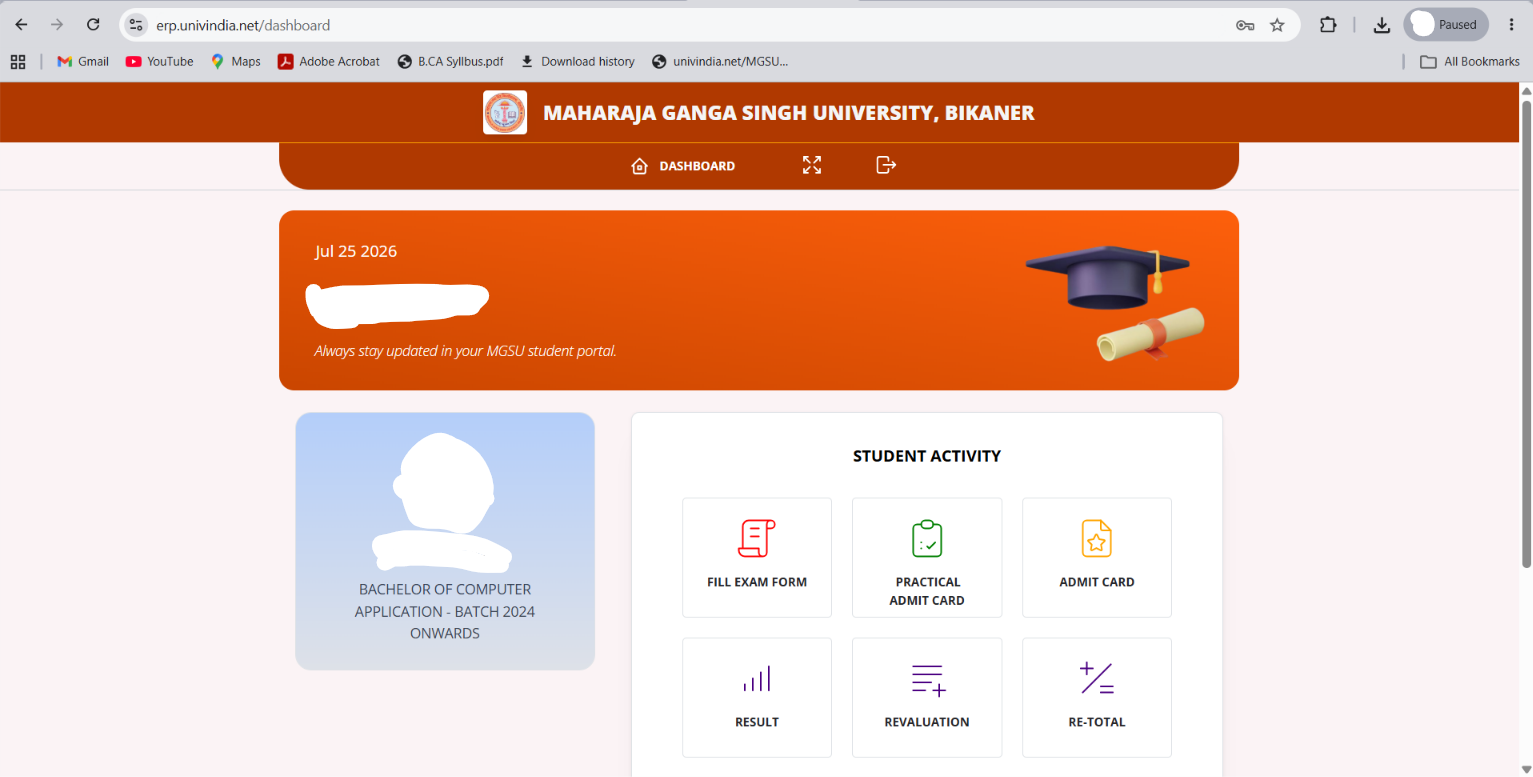
After logging into your profile dashboard, go to the “STUDENT ACTIVITY” menu. You will see options like:
FILL EXAM FORM
PRACTICAL ADMIT CARD
ADMIT CARD
RESULT
REVALUATION
RE-TOTAL
Step 6: Download & Save Admit Card
Click on “ADMIT CARD”, and then click on “Click / Print Admit Card”. Your official hall ticket will open on the screen. Save it as a PDF file on your phone or laptop.
Step 7: Get a Hard Copy Printout
Take the downloaded PDF file to your nearest E-Mitra center or printing shop and get a clear printout.
⚠️ Important Note for Private College Students:
If you are a student of a private affiliated college, your admit card may be provided directly by your college counter. Private colleges may charge a nominal printing/stamping fee of ₹10 to ₹20.
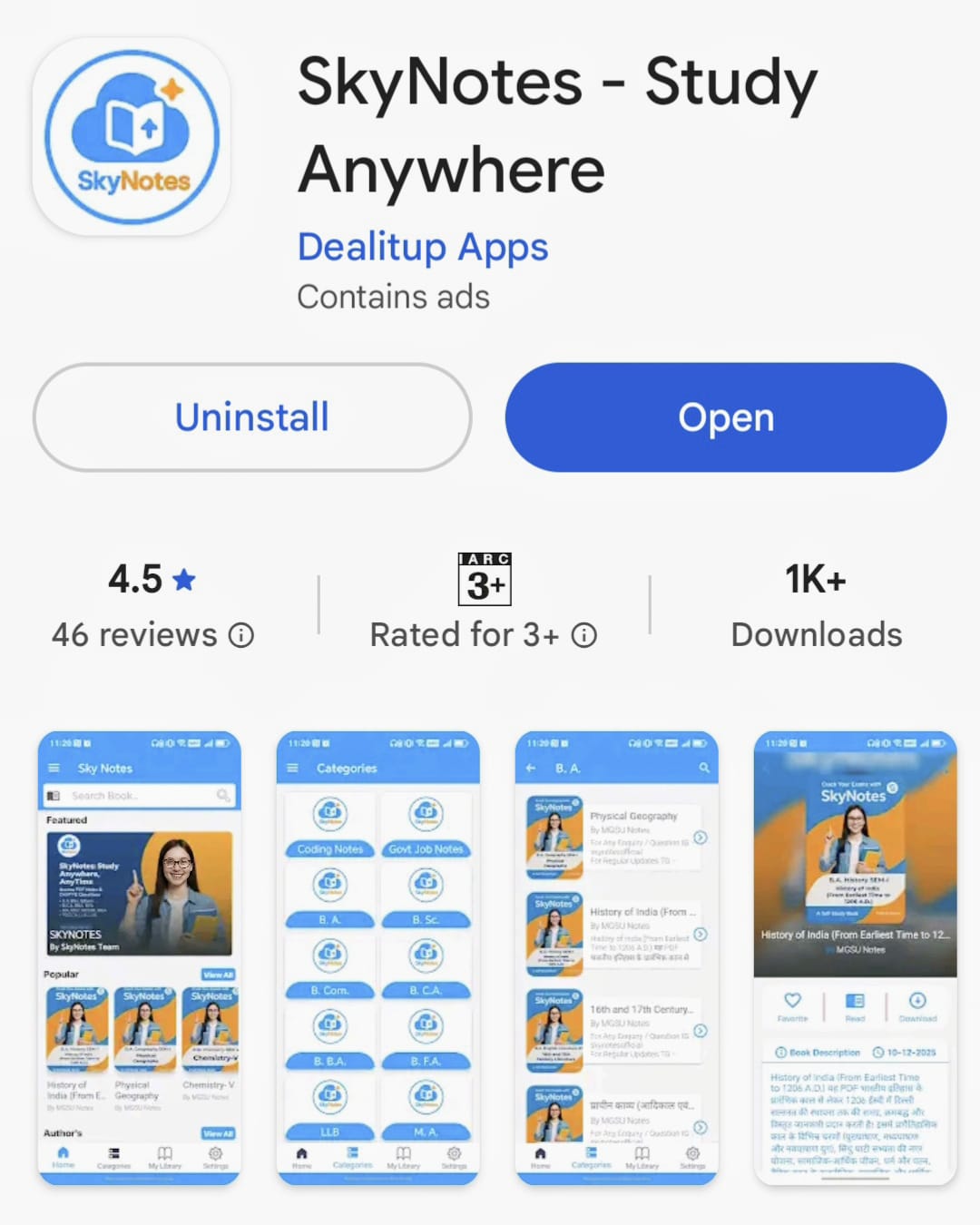
Boost Your Exam Preparation with the SkyNotes App 📱
Looking for short notes, previous papers, and fast updates right before your exams? The SkyNotes App is tailored to help university students prepare effectively with minimum stress.
Quick Links:
🌐 MGSU Official Portal: univindia.net Main Page
🔐 MGSU ERP Student Login: erp.univindia.net
📲 SkyNotes Telegram Community: https://t.me/SkyNotesOfficial
📱 SkyNotes Mobile Application: Download SkyNotes on Play Store